Yale Linus L2 vs Nuki: which smart lock should you buy?
Yale’s Linus L2 against Nuki’s Pro (5th Gen), Ultra and Go, compared on whether your cylinder and key stay in place, plus Linus vs L2, Wi-Fi, Matter, batteries, keypads and insurance.
Pick the Yale Linus L2 if you want a retrofit with Wi-Fi built in, a door sensor in the box and Matter over Wi-Fi for Apple, Google, Amazon or SmartThings hubs; it keeps your cylinder and key as they are. Pick the Nuki Smart Lock Pro (5th Gen) for the same keep-your-cylinder approach with Matter over Thread and a two-hour recharge, if you already run a Thread border router. Pick the Nuki Smart Lock Ultra only if you are happy to replace your cylinder with Nuki’s and have checked with your insurer first. Pick the Nuki Smart Lock Go with Keypad if codes matter more than unlocking from afar: remote access is a separate purchase. The three retrofits leave your cylinder, and whatever rating it carries, in place; the Ultra replaces it.
By Tom Calder · Updated 12 October 2026 · Sourced to Yale, Nuki and the government’s Fire Kills campaign
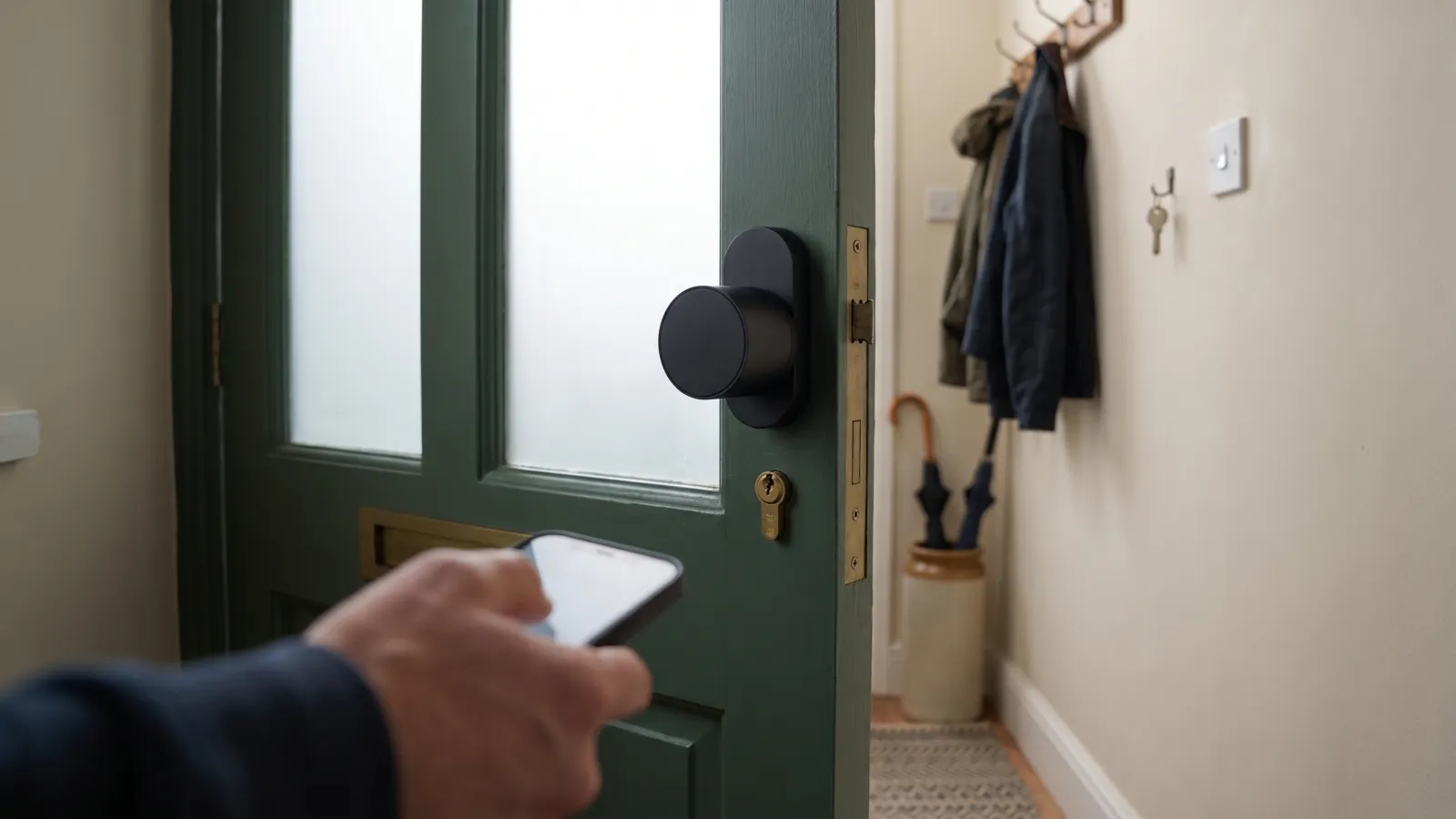
The decision in one line: keep your cylinder, or swap it
Yale and Nuki sell the same idea in different boxes: a motor that turns the lock from the inside of your front door, controlled from a phone, a keypad or a smart-home hub. The real choice is not the badge. It is whether the lock fits over the cylinder you already have, so your existing key keeps working, or replaces that cylinder with the maker’s own.
The Yale Linus L2 and Nuki’s Smart Lock Pro (5th Gen) and Smart Lock Go are all retrofits: Yale says the L2 keeps your physical key in use with an included thumbturn adapter, and Nuki lists the Pro and Go as fitting over existing cylinders. The Nuki Smart Lock Ultra is different: it requires a cylinder change and comes with Nuki’s own Universal Cylinder. If your door already has a cylinder your insurer is happy with, that one fact narrows the field more than any spec sheet. Our smart locks comparison covers the other locks we track.
Linus vs Linus L2: what Yale changed
Three Yale locks carry the Linus name, so be sure which one you are buying. The original Linus, which Yale’s UK support pages list at 58 × 58 × 150mm and 623g with batteries, runs on four replaceable batteries. The Linus L2 has, in Yale’s words, in-built Wi-Fi and Bluetooth, so remote locking from the Yale Home app needs no bridge, and a rechargeable pack charged over USB-C. Yale’s getting-started FAQ gives it as 51.7 × 146.2 × 45.75mm without the thumbturn and 648g. If an original Linus of yours used Yale’s Connect Wi-Fi Bridge, Yale’s support page says that bridge controls one lock at a time.
Then there is the Linus L2 Lite. Yale’s own comparison table shows the Lite running on three CR123A batteries, needing the separately sold ConnectX Wi-Fi Bridge for remote control and scheduled locking, and fitting lift-to-lock doors only; the Yale Dot comes in the L2 box but is sold separately for the Lite. Everything in this guide about the L2 is about the full L2, not the Lite.
Fit and installation: what each maker says your door needs
The Linus L2 fits over the inside thumbturn of your existing cylinder, using the thumbturn adapter in the box, so your key keeps working. Yale’s FAQ adds that a 22mm round or Swiss cylinder can be fitted with an included adhesive backer, and Yale sells the L2 with a backplate handle for multipoint doors with handles, or a cradle pull escutcheon for euro mortice and auto-engage doors. Yale recommends upgrading to its 3 Star cylinder, but the L2 does not require it. Run Yale’s compatibility checker, linked from its product pages, before ordering.
Nuki’s retrofits work the same way: the Go clamps over the existing lock with no drilling and no cylinder change, and Nuki lists the Pro (5th Gen) as compatible with existing cylinders. The Ultra swaps your cylinder for Nuki’s Universal Cylinder, so its compatibility guide is about your door: no more than 68mm from the cylinder’s retaining screw to the inner door plate and 55mm to the outer one, with extensions sold for longer outer lengths. A new cylinder means new keys for everyone, worth knowing if a neighbour or relative holds one now.
Both makers’ locks sit on the inside of the door. Nuki’s Ultra page gives it as the smallest and fastest Nuki at ⌀57 × 58mm, against ⌀57 × 70mm for the Pro (5th Gen) and 110 × 60 × 60mm for the Go; the L2 is a longer 146mm bar. Nuki’s guides for the Ultra and Go ask for more than 30mm from the keyhole centre to both the frame and the handle on an inward-opening door, and 40mm to the frame on an outward-opening one. On a narrow door, measure before you buy.
NewSee this for your own homeHome Alerts: your postcode's power cuts, warnings and floods, on one screen. Free for your own home. Opening in October; the first 100 on the list get in first.Join the list →Connectivity: Wi-Fi, Matter and the bridge question
None of the three front-runners needs a bridge. Yale’s L2 has in-built Wi-Fi and Bluetooth, and Nuki lists built-in Wi-Fi with remote access included on the Pro (5th Gen) and Ultra. The Go is the exception: Nuki’s comparison lists remote access as a separate purchase, so out of the box it is a Bluetooth lock you operate near the door, with keypad codes letting others in when you are not there.
On Matter, Yale lists Matter hubs from Apple, Google, Amazon and Samsung SmartThings for the L2, and says Matter 1.2’s separate “Unlock” and “Open Door” actions currently work with Home Assistant as the hub. With Wi-Fi and Bluetooth as its radios, the L2 uses Matter over Wi-Fi. Yale adds that older L2 units lack the Matter code in their QR label and are set up with a code from the Yale Home app. Nuki lists Matter over Thread on the Pro (5th Gen) and Ultra, and Matter on the Go; over Thread, your Matter hub must also be a Thread border router. Check what you own first.
Subscriptions: Yale’s plan table puts lock control, push and email notifications, unlimited users and smart-home integrations on its free plan; the paid plans add cloud recording, cellular backup and monitoring for Yale’s cameras and alarms. On the Nuki side, the extra cost to know about is remote access for the Go, which Nuki sells separately; the Pro (5th Gen) and Ultra include it.
Batteries, keypads and door sensors
The L2 uses a built-in rechargeable pack charged over USB-C; Yale quotes up to six months per charge, a one-to-five-hour charge time depending on the charger and battery level, a recommended 5V 1–3A charger, low-battery indicators in the Yale Home app, and sells a replacement pack. Nuki’s Pro (5th Gen) and Ultra also have built-in rechargeable batteries, and Nuki says both recharge in about two hours on or off the door. The Go instead takes four AA batteries, included, which some households prefer because a flat lock is fixed with a trip to the kitchen drawer rather than a cable.
Keypads are extras on all but the Go bundle. Yale’s Smart Keypad takes 4–6 digit codes per user and connects to the lock over Bluetooth at roughly three metres; its Smart Fingerprint Keypad adds fingerprint entry, one-touch locking and a built-in doorbell, and Yale sells L2 bundles with either. Nuki’s Keypad 2 opens the door by fingerprint or code, and the Keypad 2 NFC adds NFC; the Smart Lock Go bundle on our pages comes with Nuki’s Keypad, which Nuki says stores up to 200 codes.
Door sensing differs. Yale’s comparison table lists the Yale Dot as included in the L2 box, with DoorSense, so the lock can tell you whether the door is shut as well as locked. Nuki sells its Door Sensor as a separate accessory. If “did I close the door?” is the question you most often ask from the office, the L2 answers it without another purchase.
The Emergency Kit Checklist
The GOV.UK Prepare essentials on one printable page — tick them off as you go and keep it with the kit. Free, no catch.
Download it straight away. We'll also send the occasional briefing when something genuinely matters — severe weather, live incidents, real price drops. Nothing else.
Insurance and standards: what neither maker claims
The motor unit on the inside of your door is not a lock in the sense your insurer means; the cylinder and the mechanism in the door are. Yale makes no BS 3621, TS 007 or Sold Secure claim for the Linus L2 unit on its UK product pages; it points instead to its separately sold 3 Star cylinder. Nuki makes no BS 3621 or Sold Secure claim for the Ultra or its Universal Cylinder, so if your policy names one of those standards, nothing Nuki publishes shows that the Ultra’s cylinder meets it.
So the practical rule is this. With a retrofit (Linus L2, Nuki Pro, Nuki Go), whatever rating your existing cylinder carries stays in place underneath, and your key still works. With the Ultra, the cylinder your insurer may have asked about is removed and replaced with Nuki’s. Before buying either, read your policy’s lock wording, look for the Kitemark or TS 007 stars on your current cylinder, and if the Ultra tempts you, ask your insurer in writing whether a change of cylinder matters. A smart lock does nothing for the windows: window locks and door and window alarms cover the rest of the house.
Getting out in a hurry: fire and failure
A front-door lock must still let everyone leave quickly, in the dark, without a phone. Before fitting any of these, read the maker’s instructions for opening the lock by hand from the inside, then try it with the lights off, and make sure every member of the household, including children and older relatives, can do it. A retrofit keeps your existing cylinder and key; the Ultra’s Universal Cylinder comes with its own keys. In a block of flats, ask your landlord or managing agent before fitting anything to the front door, and never fit a smart lock to a shared escape route.
Keep a spare key somewhere a trusted person can reach, and, as the government’s Fire Kills campaign advises, keep door keys where everyone can find them in the dark. Our house fire guide covers the escape plan every household should rehearse; a key safe is the usual answer for carers and relatives who need in when the app does not.
Who should pick which
Pick the Yale Linus L2 if you want a retrofit with Wi-Fi built in, a door sensor in the box, Matter over Wi-Fi for Apple, Google, Amazon or SmartThings hubs, and Yale’s fingerprint keypad as an option. It keeps your cylinder and key exactly as they are, and Yale sells it with a backplate handle or a pull escutcheon for multipoint, euro mortice and auto-engage doors.
Pick the Nuki Smart Lock Pro (5th Gen) if you want the same keep-your-cylinder approach with Matter over Thread and Nuki’s two-hour recharge figure, and you already run a Thread border router. It is the closest like-for-like to the L2 and the comparison most searchers are really making. It is not in the live price cards below, because Amazon’s price feed stopped returning its UK listing in September; check Nuki’s own shop.
Pick the Nuki Smart Lock Ultra if you are happy to replace your cylinder, want the smallest unit and want everything built in. Just do the insurance check first. Pick the Nuki Smart Lock Go with Keypad if codes for family, a cleaner or a dog-walker matter more than unlocking from your desk, you prefer AA batteries, and you want Nuki’s entry-level lock with a keypad in the box; add Nuki’s remote access later if you find you miss it.
Common questions
Yale Linus L2 vs Nuki Smart Lock Pro (5th Gen): which is better?
They are the closest match: both fit over your existing cylinder so your key keeps working, both have Wi-Fi built in with no bridge, and both have a rechargeable battery. The differences are Matter transport (Yale over Wi-Fi, Nuki over Thread), recharge time (Nuki says two hours; Yale says one to five), a door sensor in the L2 box against Nuki’s sold separately, and keypad ecosystems. Neither changes your door’s security rating. Choose on the smart-home hub you already own.
What is the difference between the Yale Linus and the Linus L2?
The L2 has Wi-Fi and Bluetooth built in, so it needs no bridge for remote control, and a rechargeable pack charged over USB-C; Yale’s support pages show the original Linus running on four replaceable batteries. If you used Yale’s Connect Wi-Fi Bridge with an original Linus, Yale says that bridge controls one lock at a time. There is also a Linus L2 Lite, which runs on CR123A batteries, needs the ConnectX bridge for remote use and fits lift-to-lock doors only.
Do I need to change my cylinder for a Nuki lock?
Only for the Smart Lock Ultra, which replaces your cylinder with Nuki’s own Universal Cylinder, so everyone who holds a key needs a new one. The Smart Lock Go clamps over your existing lock with no drilling or cylinder change, and Nuki lists the Pro (5th Gen) as compatible with existing cylinders. Check your door against Nuki’s compatibility guides before buying any of them.
Will a Yale Linus L2 or Nuki lock affect my home insurance?
Neither maker claims BS 3621 or Sold Secure for these units on its UK pages, and Yale claims no TS 007 rating for the L2, pointing instead to its separately sold 3 Star cylinder. A retrofit leaves your existing cylinder and its rating in place; the Ultra replaces it with Nuki’s Universal Cylinder. Read your policy’s lock wording, check the markings on your current cylinder, and ask your insurer in writing before fitting the Ultra.
Does the Yale Linus L2 need a subscription?
No. Yale’s plan table puts control via the Yale Home app, unlimited users, push and email notifications and smart-home integrations on its free plan; the paid plans are for Yale’s cameras and alarms. On Nuki’s side, remote access is included with the Pro (5th Gen) and Ultra, and Nuki lists it as a separate purchase for the Smart Lock Go.
Can I still use a key with these smart locks?
Yes. Yale’s L2 comes with a thumbturn adapter so you keep using a physical key; Nuki’s Go and Pro leave your cylinder and key untouched; and the Ultra’s Universal Cylinder comes with its own keys, so anyone who holds your current key needs a new one. Keep a spare where a trusted person can reach it, and make sure everyone at home can open the door by hand from the inside, in the dark, without a phone.
Sources (18)
- Yale UK — Linus L2 product pageremote locking from the Yale Home app; activity feed; in-built Wi-Fi and Bluetooth; included thumbturn adapter keeps a physical key; compatibility checker link; backplate handle for multipoint doors with handles; cradle pull escutcheon for euro mortice and auto-engage doors; Yale 3 Star cylinder upgrade; Smart Keypad 4–6 digit codes, Bluetooth about 3m; Smart Fingerprint Keypad with one-touch locking and built-in doorbell; keypad and fingerprint keypad bundles; replacement battery up to 6 months, USB-C, low-battery indicators
- Yale UK — Getting started with Linus L2 FAQcompatibility checker; 51.7 × 146.2 × 45.75mm without thumbturn; 648g; 1–5 hour charge; 5V DC 1–3A charger recommended
- Yale UK — Linus L2 FAQ22mm round or Swiss cylinder fitted with the included adhesive backer
- Yale UK — MatterLinus L2 Matter support; supported Matter hubs from Apple, Google, Amazon and Samsung SmartThings; Matter 1.2 Unlock and Open Door via Home Assistant; older L2 units set up with a code from the Yale Home app
- Yale UK — Yale Home app subscription planslock control, no user limit, push and email notifications and smart-home integrations on the Free plan; paid plans add camera and alarm features
- Yale UK — Linus L2 Lite product page and L2 Lite vs L2 comparisonLite: 3 × CR123A, ConnectX bridge for remote control and scheduled locking, lift-to-lock doors only; Yale Dot included in the L2 box, sold separately for the Lite
- Yale UK — Original Linus Smart Lock support and FAQ58 × 58 × 150mm; 623g with batteries; replace all four batteries
- Yale UK — Yale Connect Wi-Fi Bridge support (controls one lock at a time)
- Nuki UK — Smart Lock Ultrafastest and smallest Nuki; two-hour recharge on or off the door; ⌀57 × 58mm, with the Pro (5th Gen) at ⌀57 × 70mm
- Nuki — Smart Lock Ultra launch press releaseintegrated premium cylinder; built-in battery; three speed modes
- Nuki UK — Smart Lock Ultra compatibility guideinner length up to 68mm, outer up to 55mm from the retaining screw, extensions for longer outer lengths; keyhole clearances to frame and handle
- Nuki UK — Smart Lock Pro (5th Gen) (two-hour recharge on or off the door; ⌀57 × 70mm)
- Nuki UK — Smart Lock Go110 × 60 × 60mm; clamp-on over the existing lock; 4 × AA included; remote access a separate purchase
- Nuki UK — Smart Lock Go compatibility guide (keyhole clearances to frame and handle)
- Nuki UK — Keypad 2 (fingerprint or code)
- Nuki UK — Keypad 2 NFC (fingerprint, code or NFC)
- Nuki UK — Door Sensor (sold separately; door status at a glance)
- GOV.UK Fire Kills — Escape (keep door and window keys where everyone can find them)
PreparedBritain is independent and not affiliated with HM Government.
Latest from our live data
All stories → News · 21 OctOnly 4 in 100 adults have three days of bottled water at home, the government's survey shows
 News · 21 OctFood inflation held at 1.3%. Wholesale cabbage and cauliflower are up a third. Both are true
 News · 21 OctAldi recall: shoppers warned of hairdryer electric shock or fire risk. How to check yours
Keep reading
All fire, gas & first aid guides →SwitchBot vs Nuki: which smart lock suits a UK door? Lock Pro, Nuki Go and Nuki Ultra compared
SwitchBot Lock Pro against Nuki’s Smart Lock Go and Smart Lock Ultra, compared on the thing that decides it: your…
Lithium battery fires: charging e-bikes, power banks and phones safely
Why lithium batteries fail, the charging rules that prevent fires, warning signs of a failing pack, and how to…
How to treat a burn or scald: the first-aid steps that matter
The NHS first-aid sequence for burns and scalds: cool under running water for at least 20 minutes, no ice or creams,…